Your whole life. In one place.
Calendar, health, practices and reflections. Connected around you.
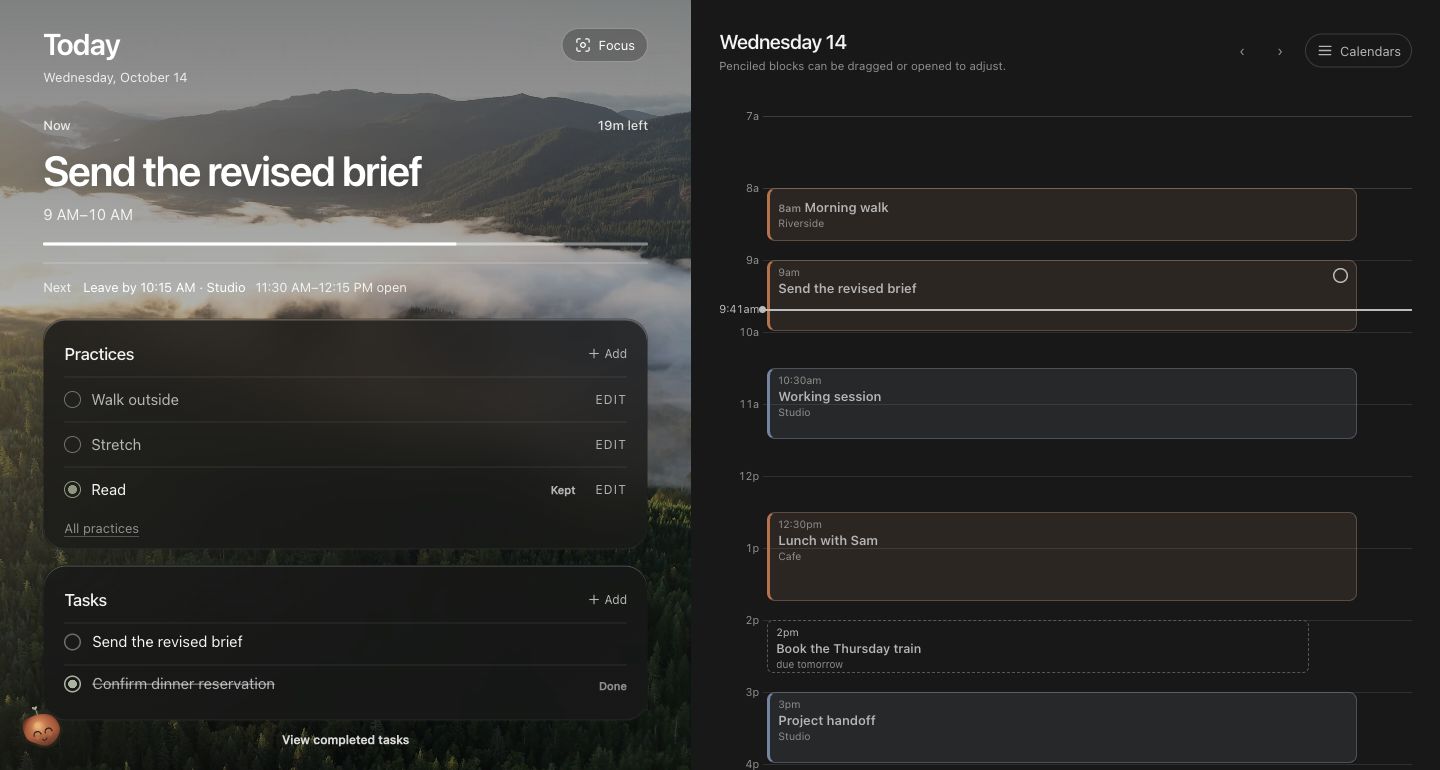
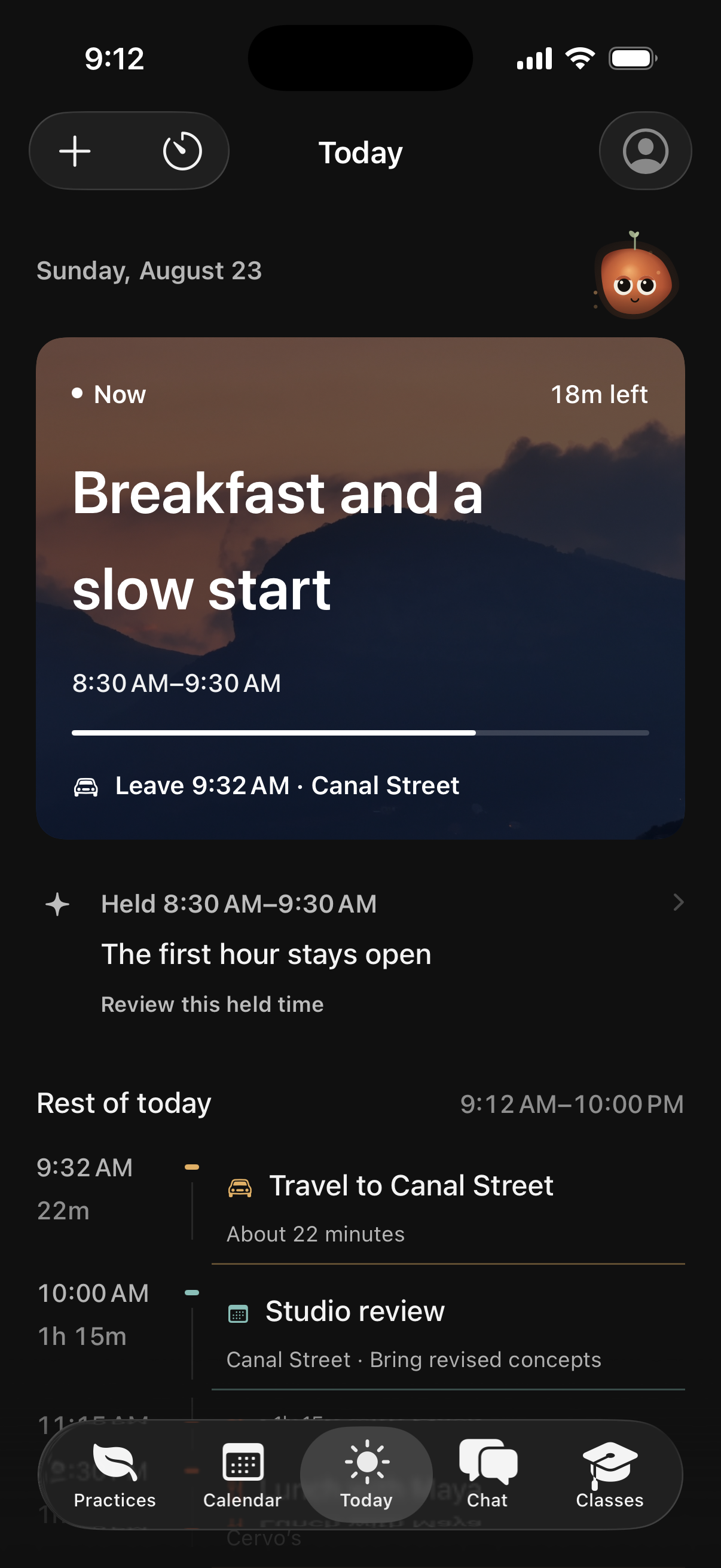
Real Ordo interfaces. Sample days.
How it connects
Everything lands in one day.
Your calendar, health data, classes, practices and reflections meet in one day. Ordo reads them together and proposes changes you review.
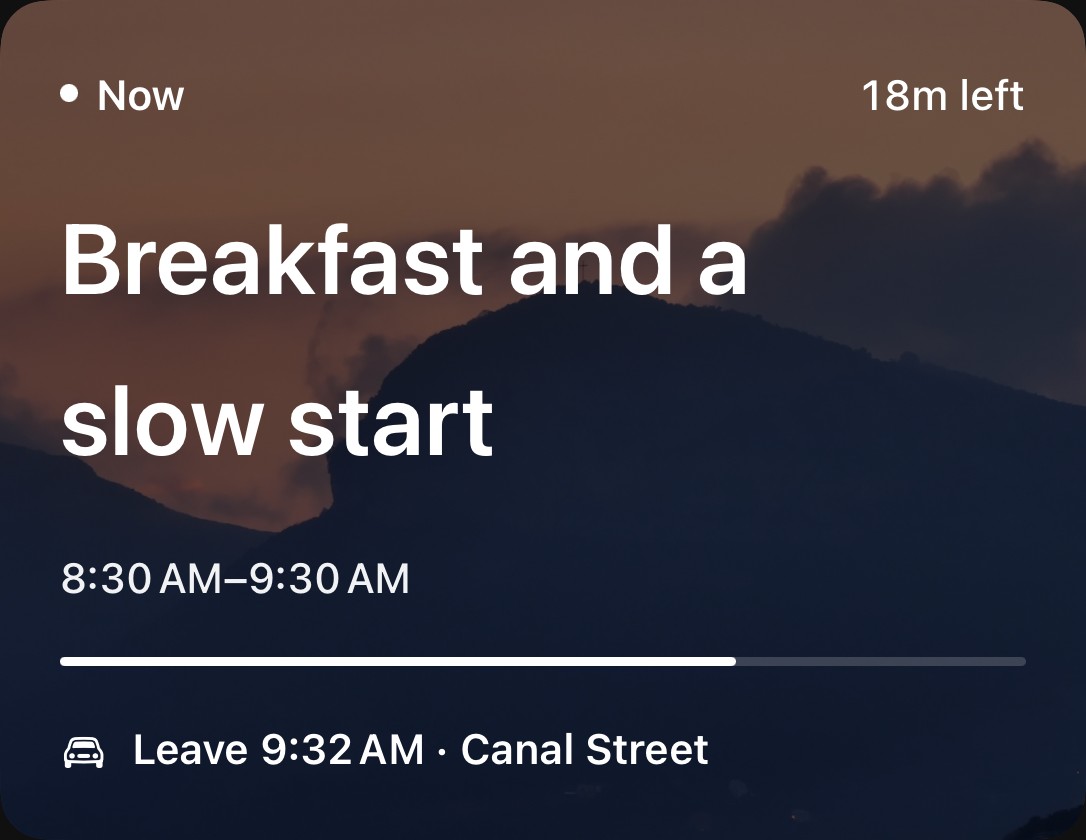
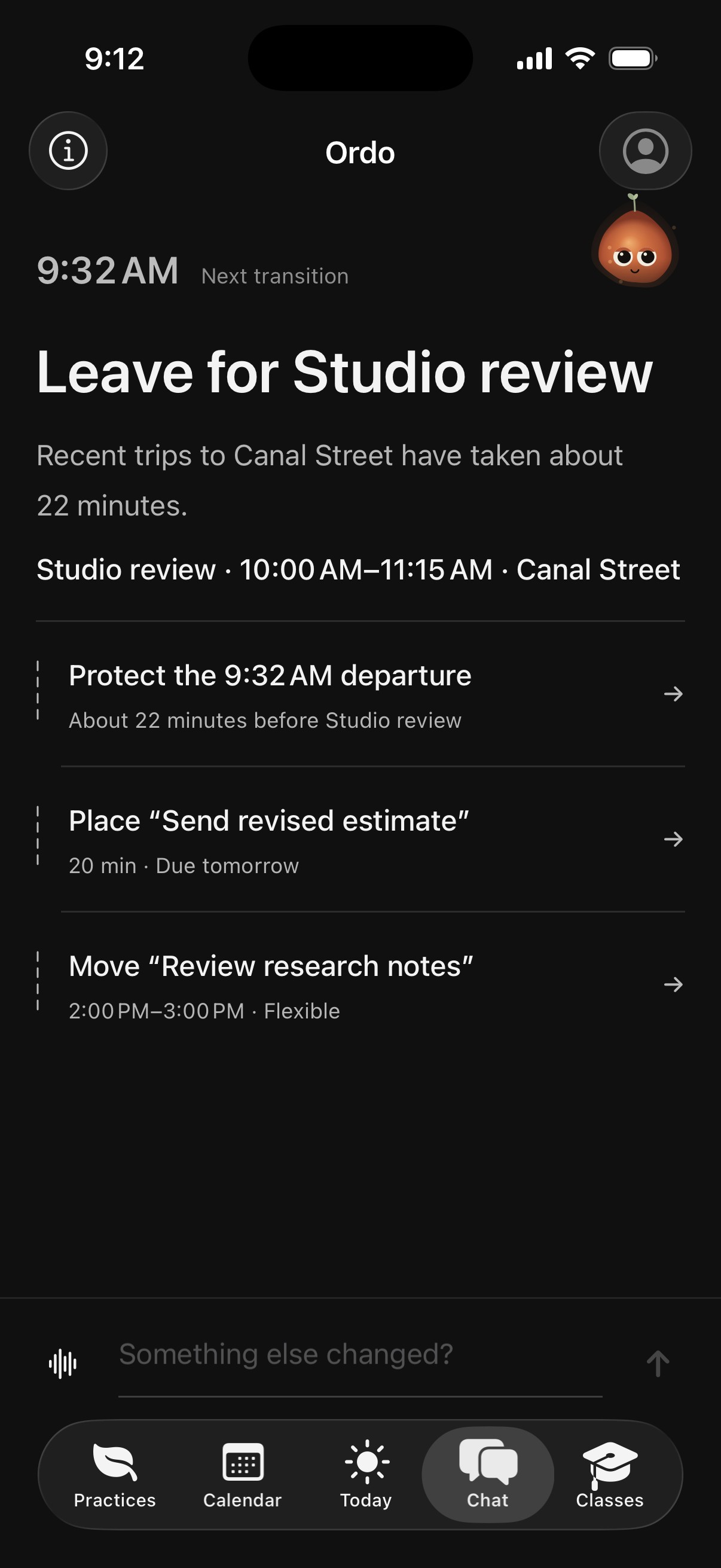
Leave 9:32 AM.
Recent trips to Canal Street have taken about 22 minutes. Ordo reads your calendar history for routines, usual times and typical lengths.
- Recent tripsabout 22 minutes
- Studio review10:00 AM
- First hourheld open
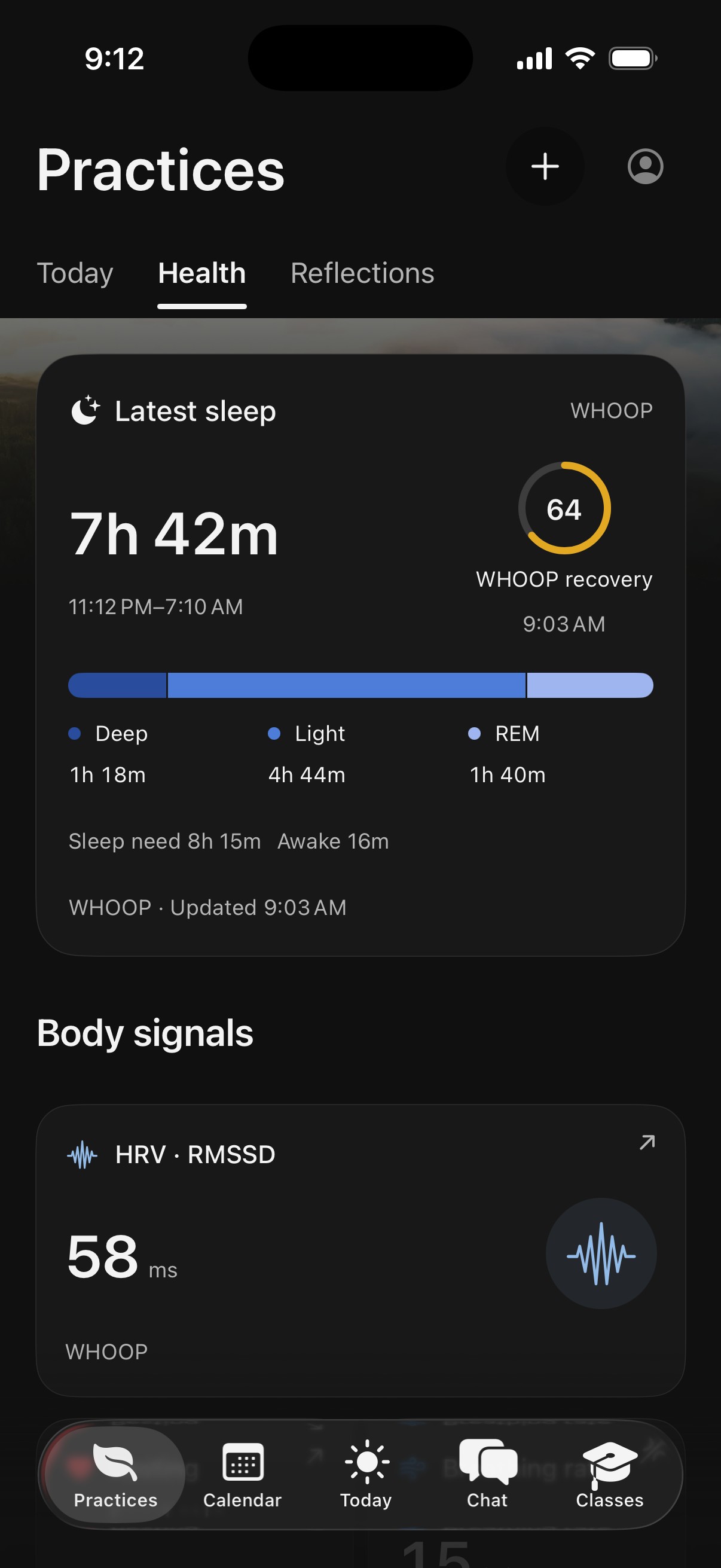
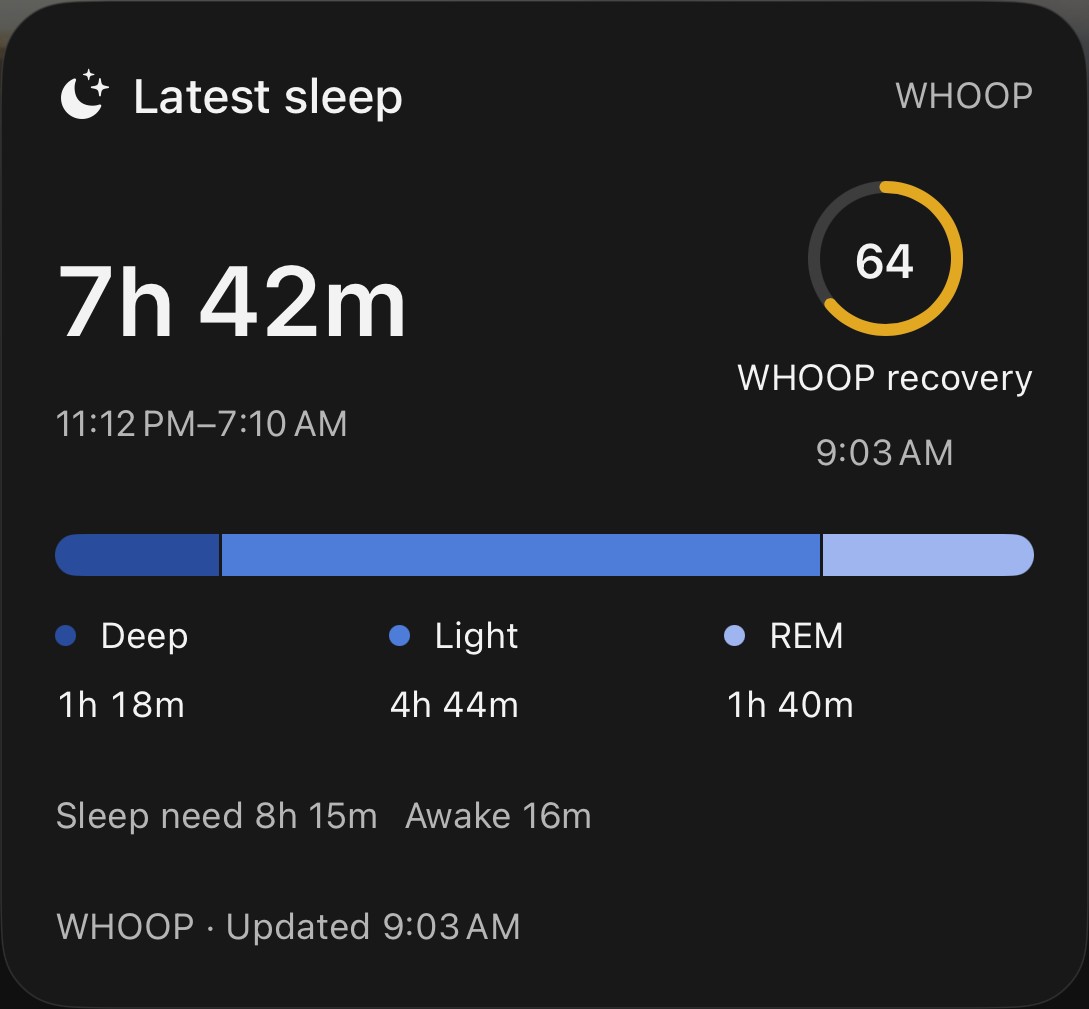
Slept 7h 42m. Recovery 64.
With your permission, WHOOP or Apple Health brings sleep stages, recovery, heart rate variability and resting heart rate into the day. Without a wearable, everything else still works.
- Deep1h 18m
- REM1h 40m
- HRV58 ms
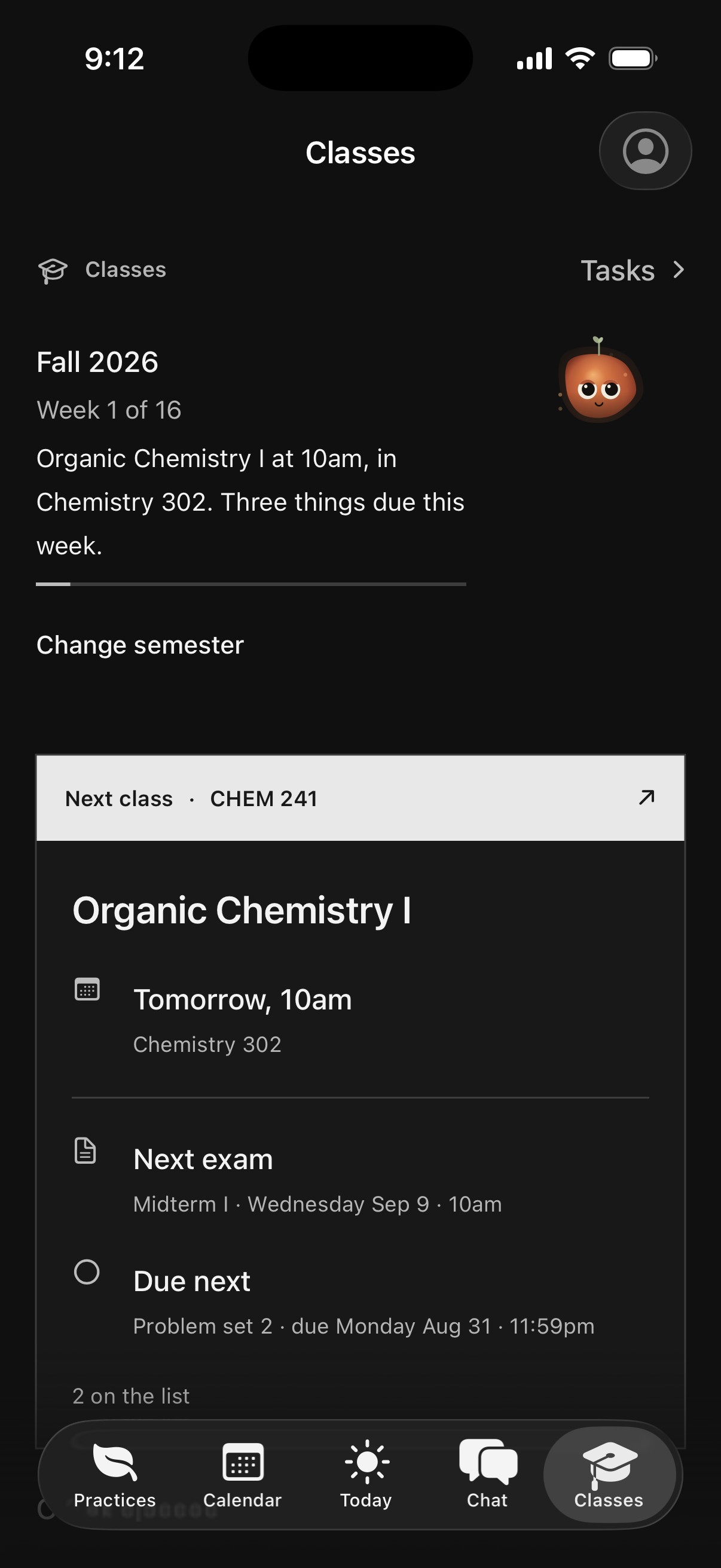
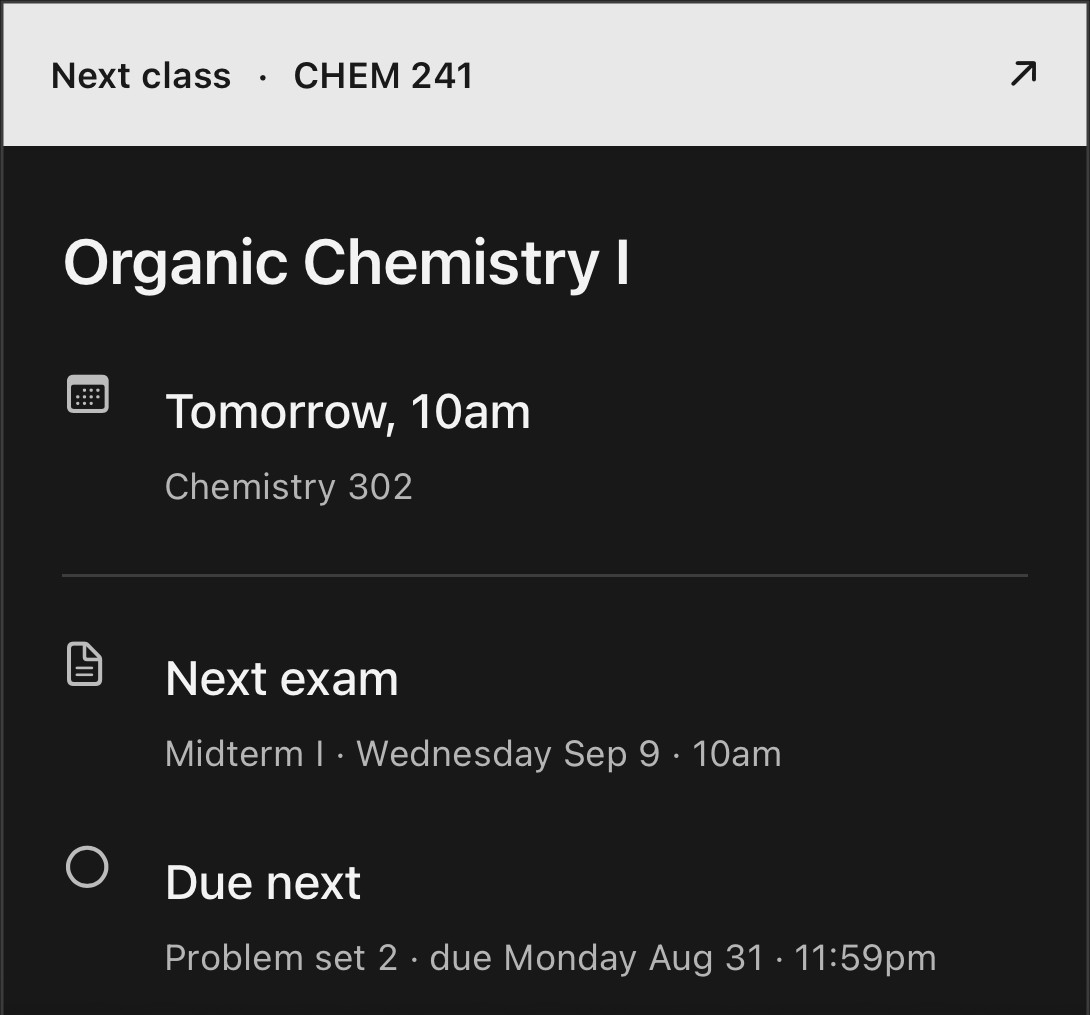
Three things due this week.
On iPhone, Ordo recognizes recurring classes already in your calendar. Coursework and exams join the plan, and estimates learn from the assignments you finish.
- CHEM 241tomorrow, 10am
- Midterm ISep 9
- Problem set 2due Aug 31
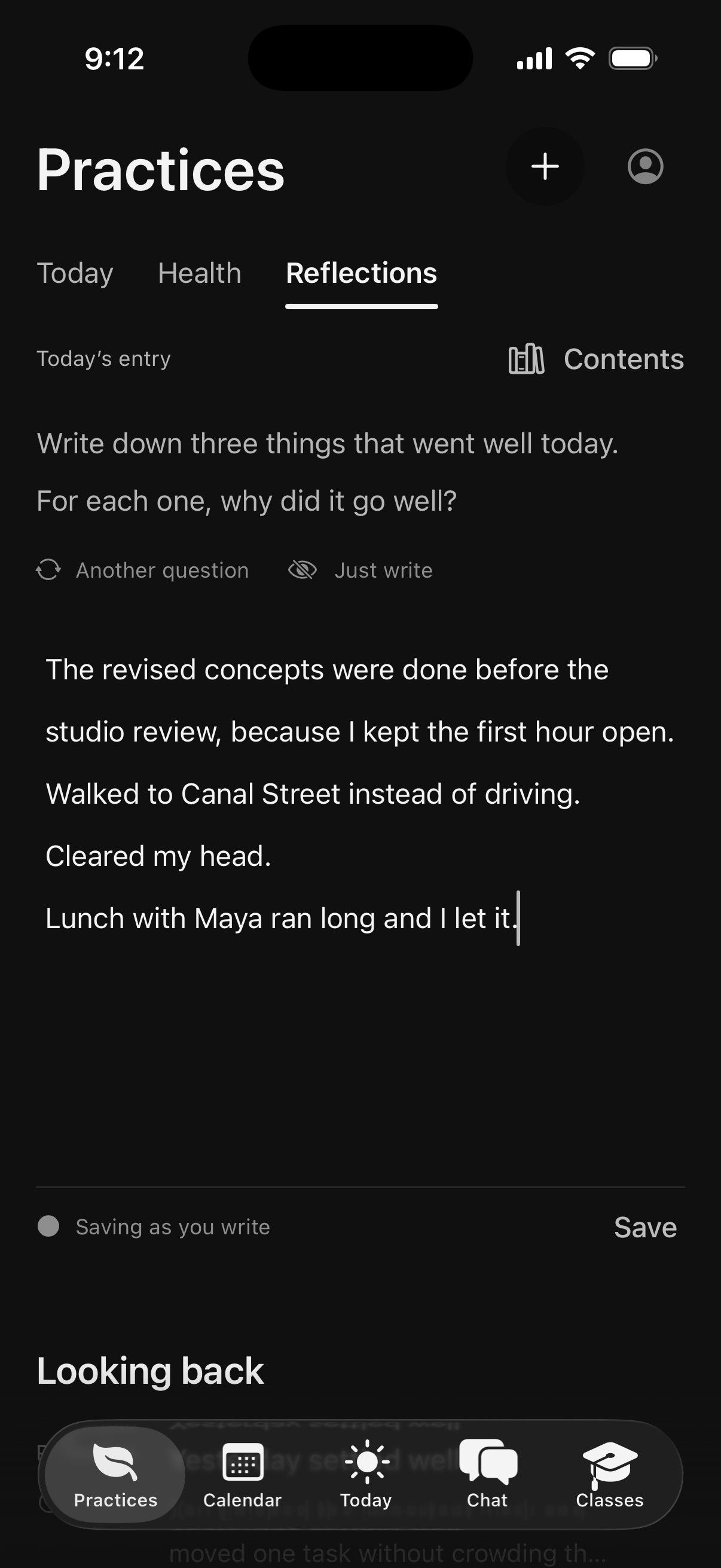
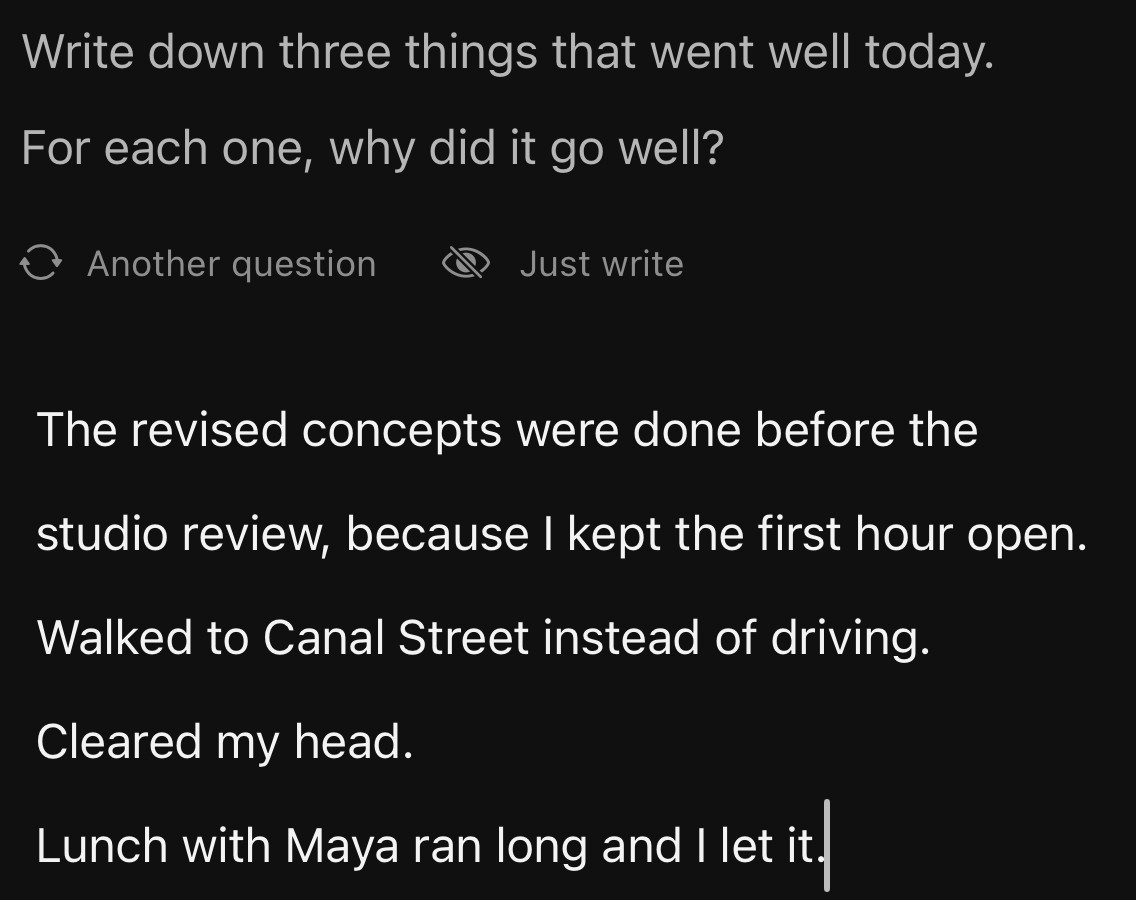
Three things that went well.
Answer a guided question, or choose Just write. Journal text stays out of automatic planning.
- Another question
- Just write
- Journal textstays out of planning
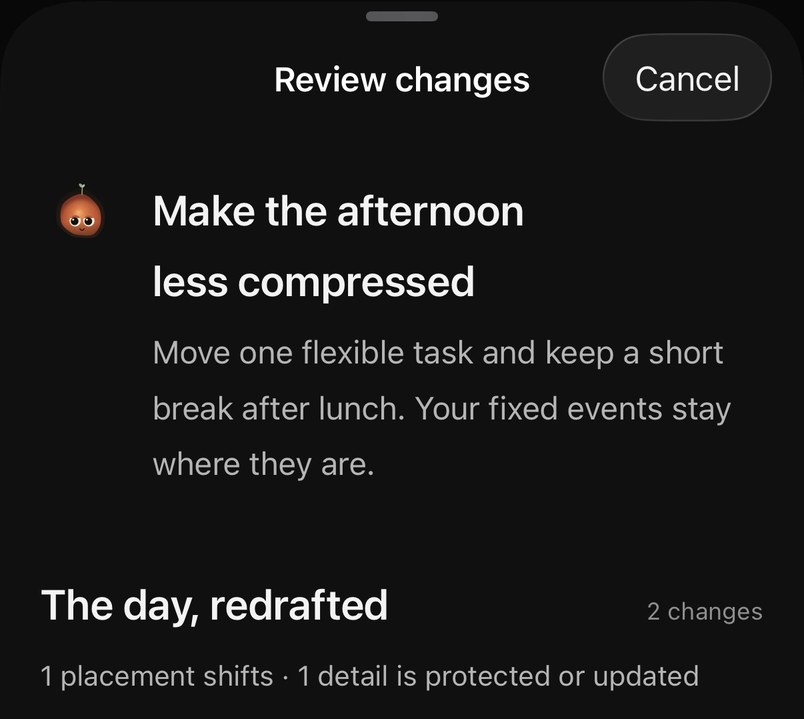
Ordo reads all of it and redrafts the day.
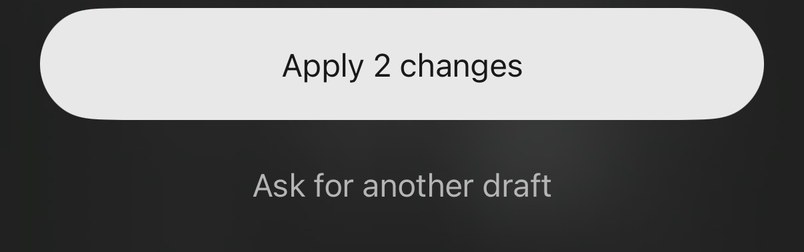
You review it. Fixed events stay where they are, and nothing moves until you apply the changes.
- The day, redrafted2 changes
- Fixed eventsunchanged
- Not right?Ask for another draft
Real screens from Ordo for iPhone. Sample day, Sunday August 23.
A place to
get into it.
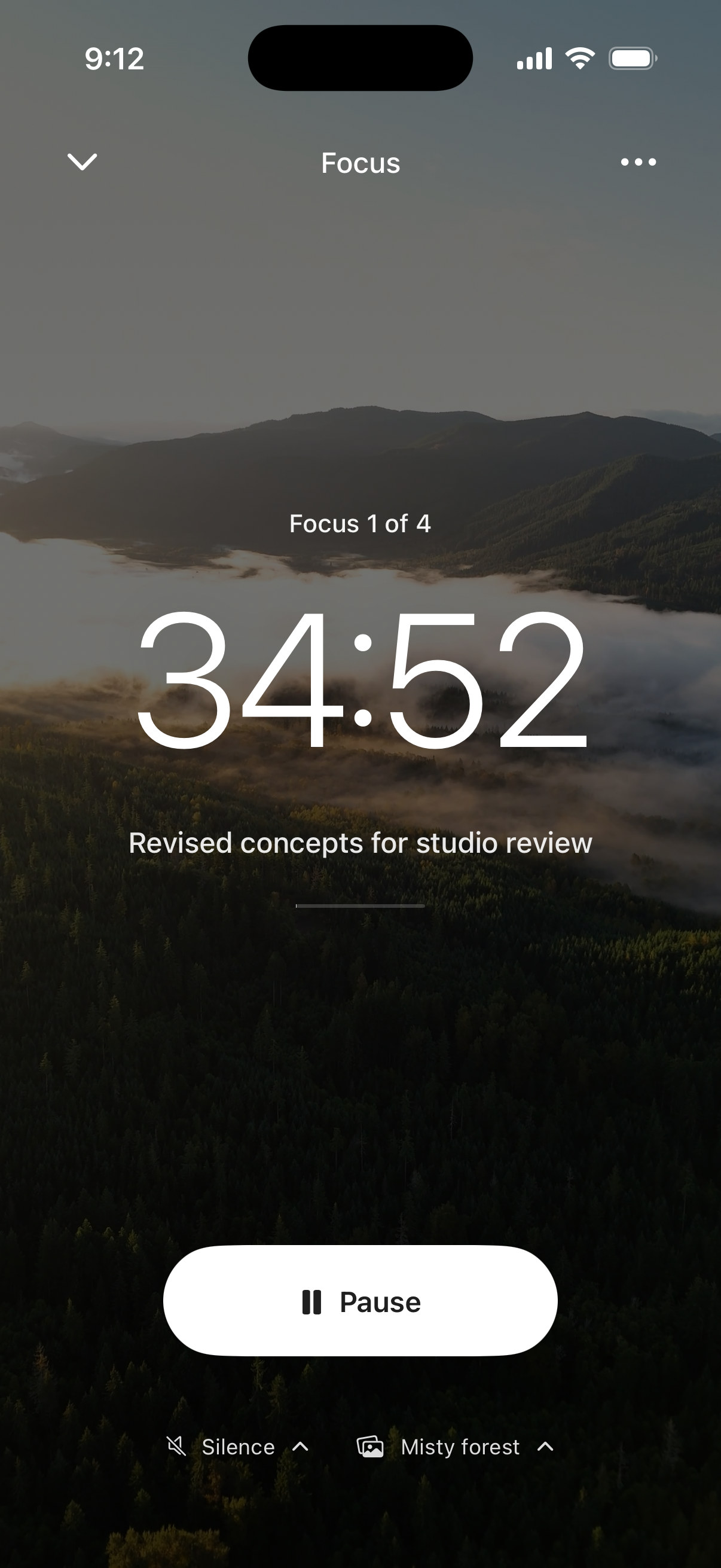
One task, a little time, and a landscape that moves. Minimize your session to check the day. Come back to the same timer.
Coming to FocusInstagram, TikTok and the rest stay locked until your break. 3 emergency unlocks a month.
Find your Focus



I built the app
I wanted to use.
Albert Founder of Ordo
“I’ve never liked calendars, and almost everyone I know who uses them doesn’t like them either. We use them not because we want to, but because they’ve become an essential part of how we live. And I truly hated it. Typing every piece of my schedule into little boxes felt like a chore.”
“And to make matters worse, the calendar was never the only app. There was a task app, a journaling app, a health app, a pomodoro app. Five different apps, five different brains, zero connection between each of them. All of these apps and yet they still don’t understand how you operate day to day.”
“I built the app I would use as someone who hates calendars. I hope it feels that way to you.”
A few things
before you start.
What can Ordo change?
Ordo presents planning suggestions for review. You choose which changes to apply, and you can create or edit events yourself. The examples on this page are illustrations; open Ordo to plan your own day.
What does Ordo learn?
As you use it, Ordo can use patterns in your routines and the time tasks take to inform planning. Suggestions depend on having enough useful history. You can clear what it has noticed in the app’s settings.
Do I need to connect everything?
No. Choose the calendars you want visible. A wearable is optional, and body context is only included when you enable it. Read how Ordo handles your data.
Is Ordo free?
Ordo is free to use right now on iPhone and the web. If that changes, we’ll explain the price before you choose to pay.
Can I see my day without opening the app?
The native iPhone beta includes Home Screen widgets for your day and an active Focus session. While focusing, your timer is available on the Lock Screen and, on supported iPhones, in the Dynamic Island. Widgets use still scenery; live video plays inside the app.
What stays private?
Your journal stays out of automatic planning. Health connections and sharing body context with Ordo are optional. You can clear learned patterns and delete your account in the app. Ordo does not sell your information or share it for advertising. Read the privacy policy.
Where can I use it today?
Open Ordo on the web. Your iPhone and web app use the same Ordo account. The new native iPhone experience is in TestFlight; ask us for access. The original App Store app has a different interface.
Start with your day.
The iPhone experience shown is in TestFlight. Ask for beta access.
The original app is available on the App Store.